Corvio vs Obsidian

AI notes without the setup week

Obsidian usually needs local notes, plugins, and sync before AI fits. Corvio starts with a clean note, connects the AI you already use, and puts answers into notes you keep editing in the browser.

Start Corvio Free
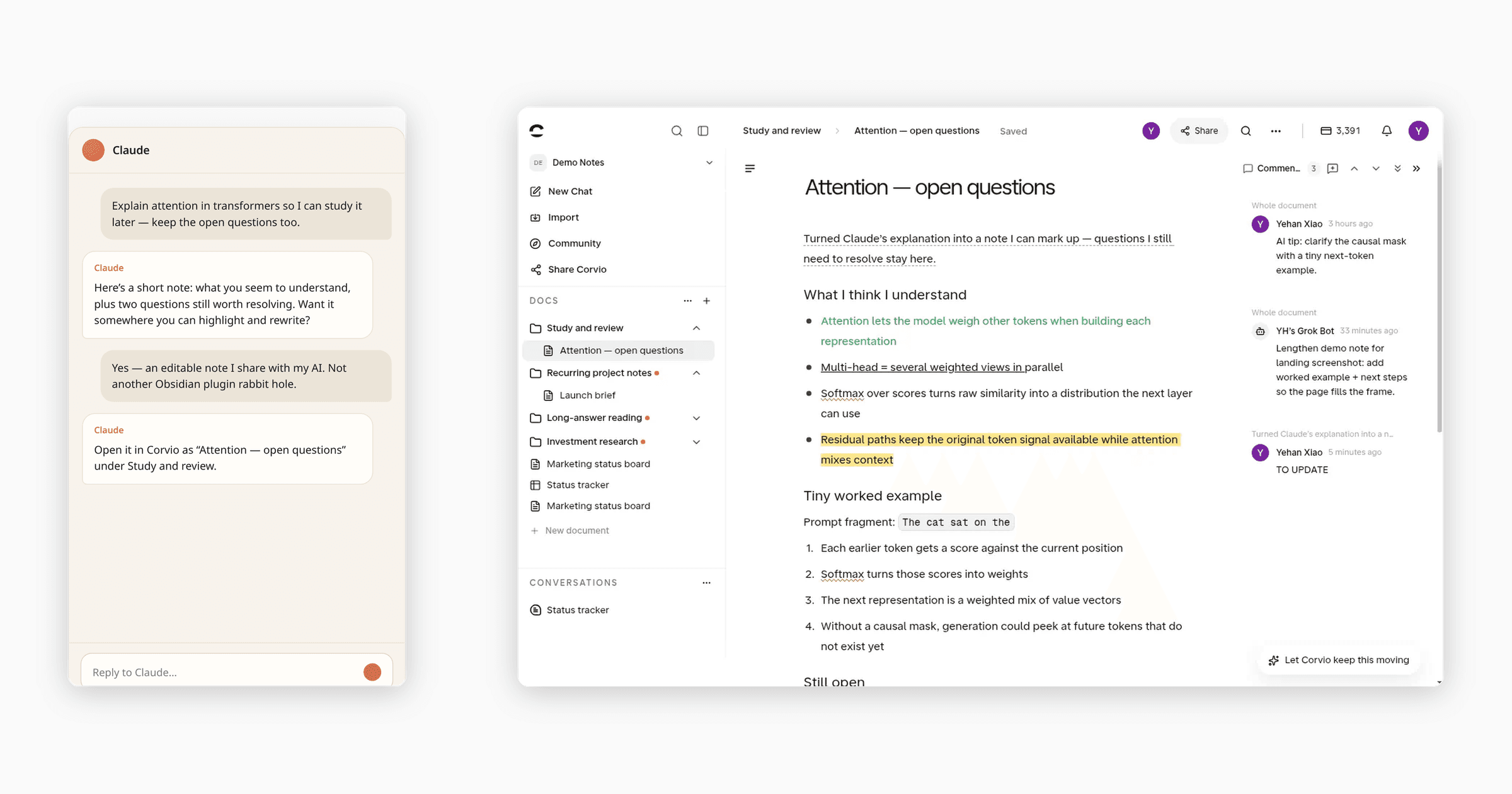
Left: AI chat with study help. Right: the same points in an editable Corvio note you can highlight and keep changing.
Same task: AI chat left, editable Corvio note right. No setup week.

Feature comparison

Cloud notes shared with your AI, versus local notes you set up first.

Feature comparisonCorvioObsidian
First useful hourOpen a note, highlight and comment in a clean, clear, full-featured interface.Writing starts fast, but richer tools mean picking from 8,000+ community plugins, judging uneven quality (not official), then installing and learning each one. Expect hours to days.
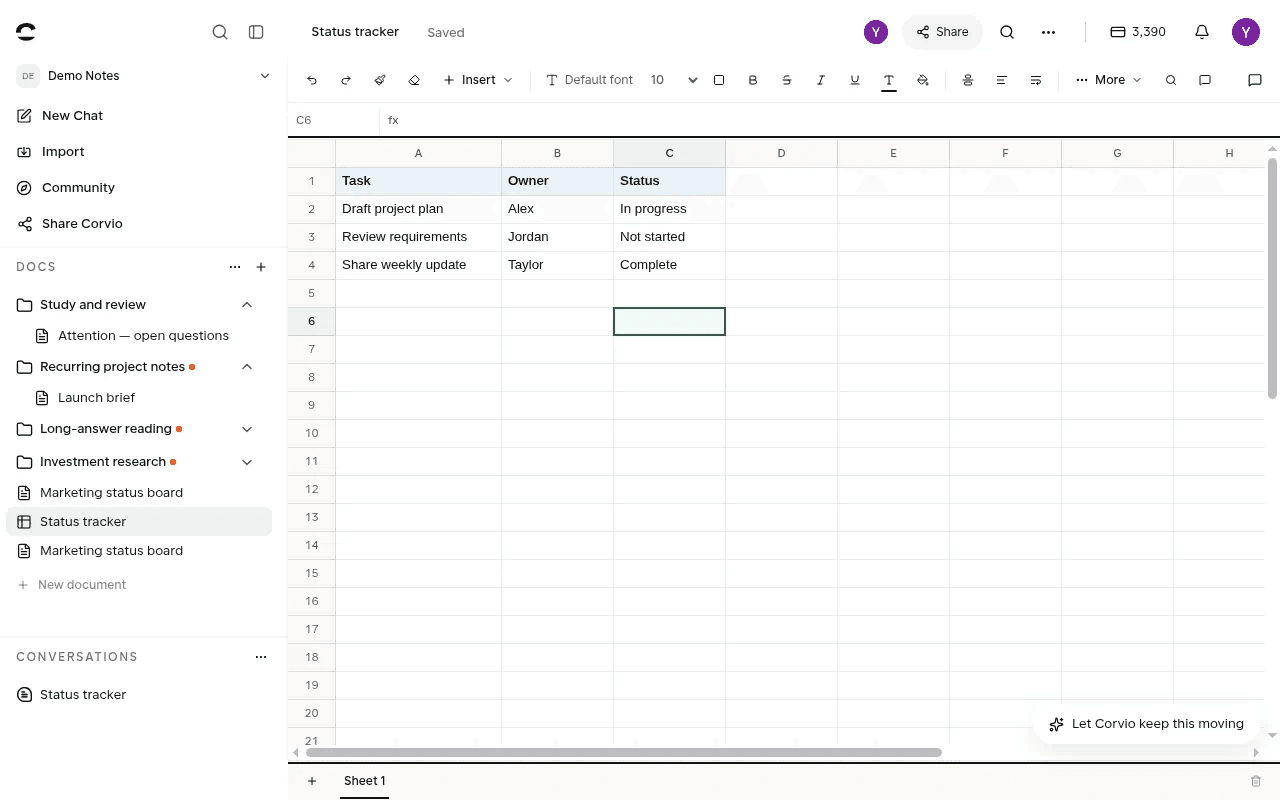
TablesIn-doc tables with category dropdowns, plus viewing and editing Excel files.In-doc tables are Markdown grids only.
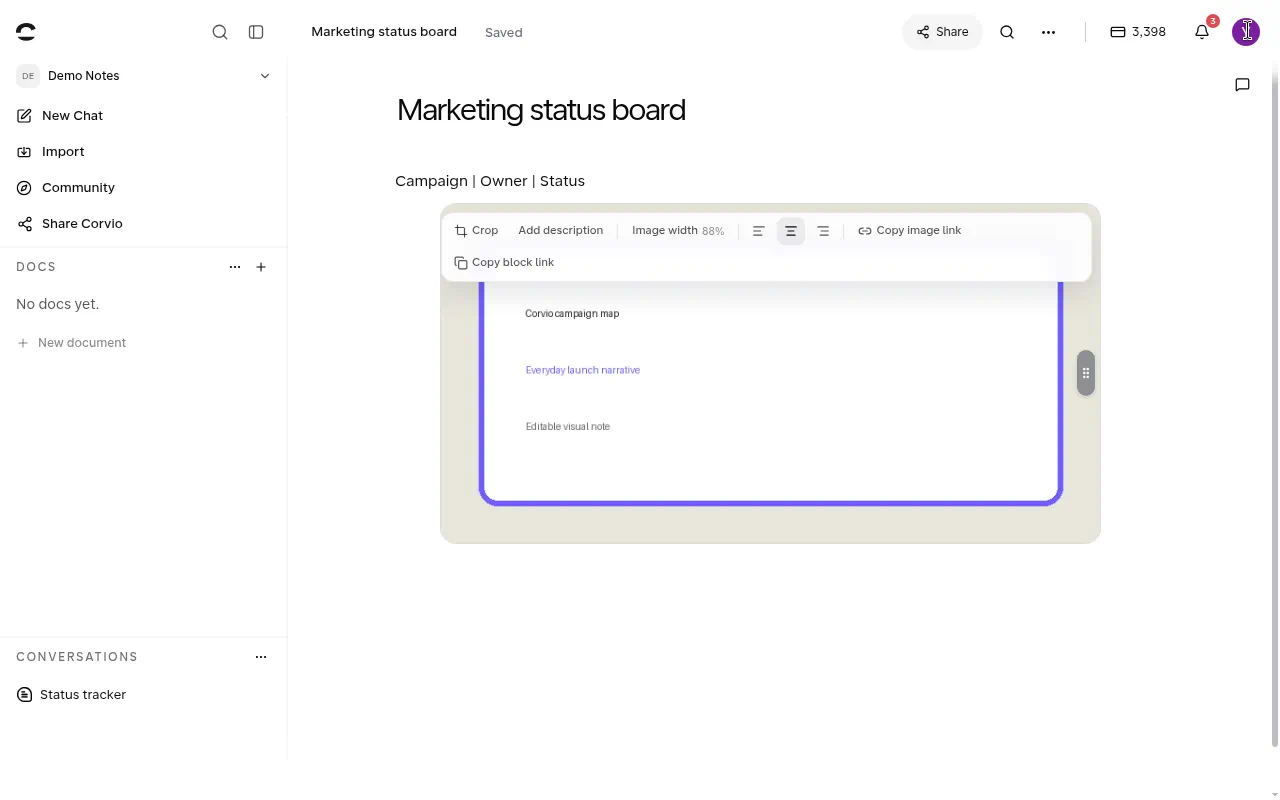
ImagesPaste or insert, then resize in place in the browser noteDesktop Live Preview (1.12+): drag a corner to resize, or set Markdown width. Mobile still limited
What you can open from AIMarkdown and PDF, plus keep editing HTML / sheets / slides-style AI outputsCore vault strong on Markdown, images, PDF; HTML / sheets / slides need plugins
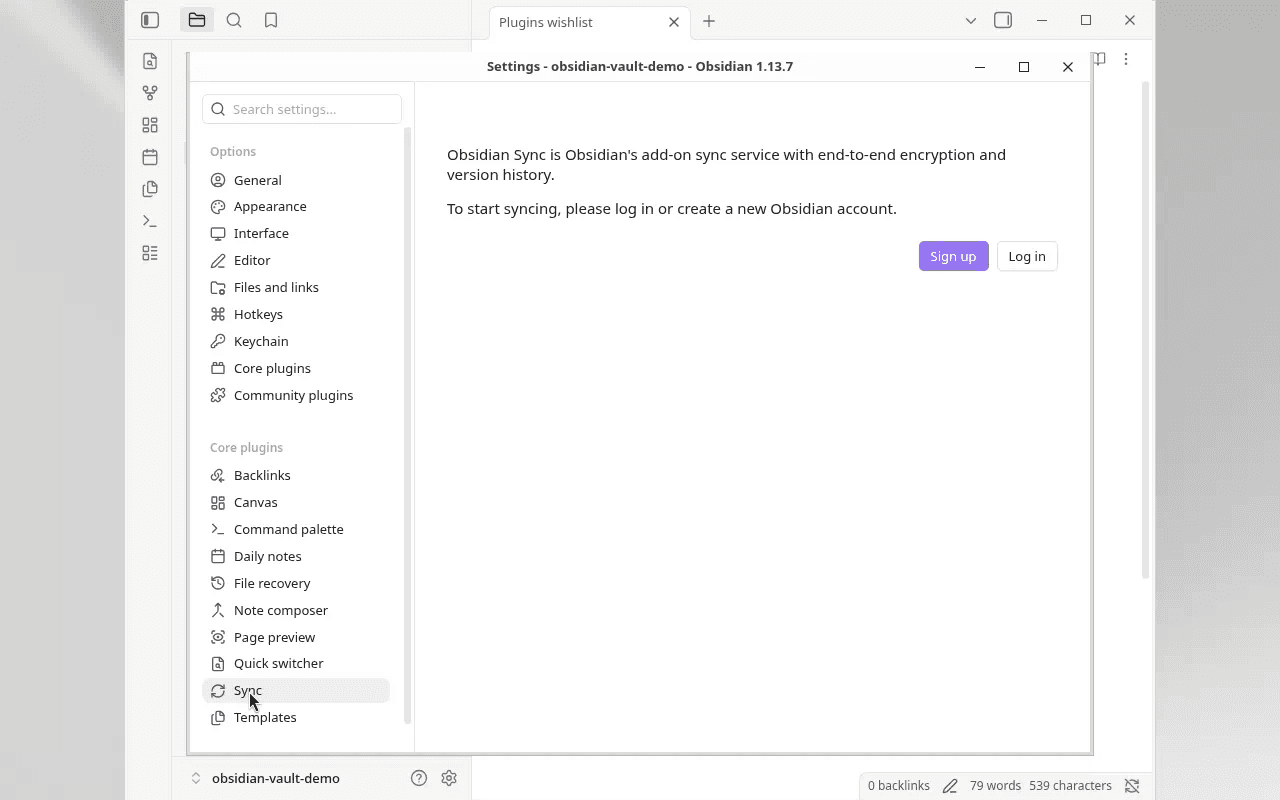
Multi-device / syncWeb app: same notes in a browser on any deviceLocal vault + Sync ($4–$10/user/mo) or DIY folders with conflict risk
Putting AI work into notesConnect Claude, Codex, Cursor, ChatGPT, Grok, or other MCP / CLI tools you already use, then save key points into Corvio when you ask. Or stay in Corvio with GPT, Claude, and other mainstream models. Results land in the same notes.Two common paths: point Claude / Codex / Cursor at the vault folder, or use plugins inside Obsidian (Claudian, Copilot, Smart Composer). Either way you set that up first
Edit historyEdits are recorded: compare versions, or roll back to an earlier oneNo built-in before/after edit history like a doc product; Sync/version plugins or Git if you set them up
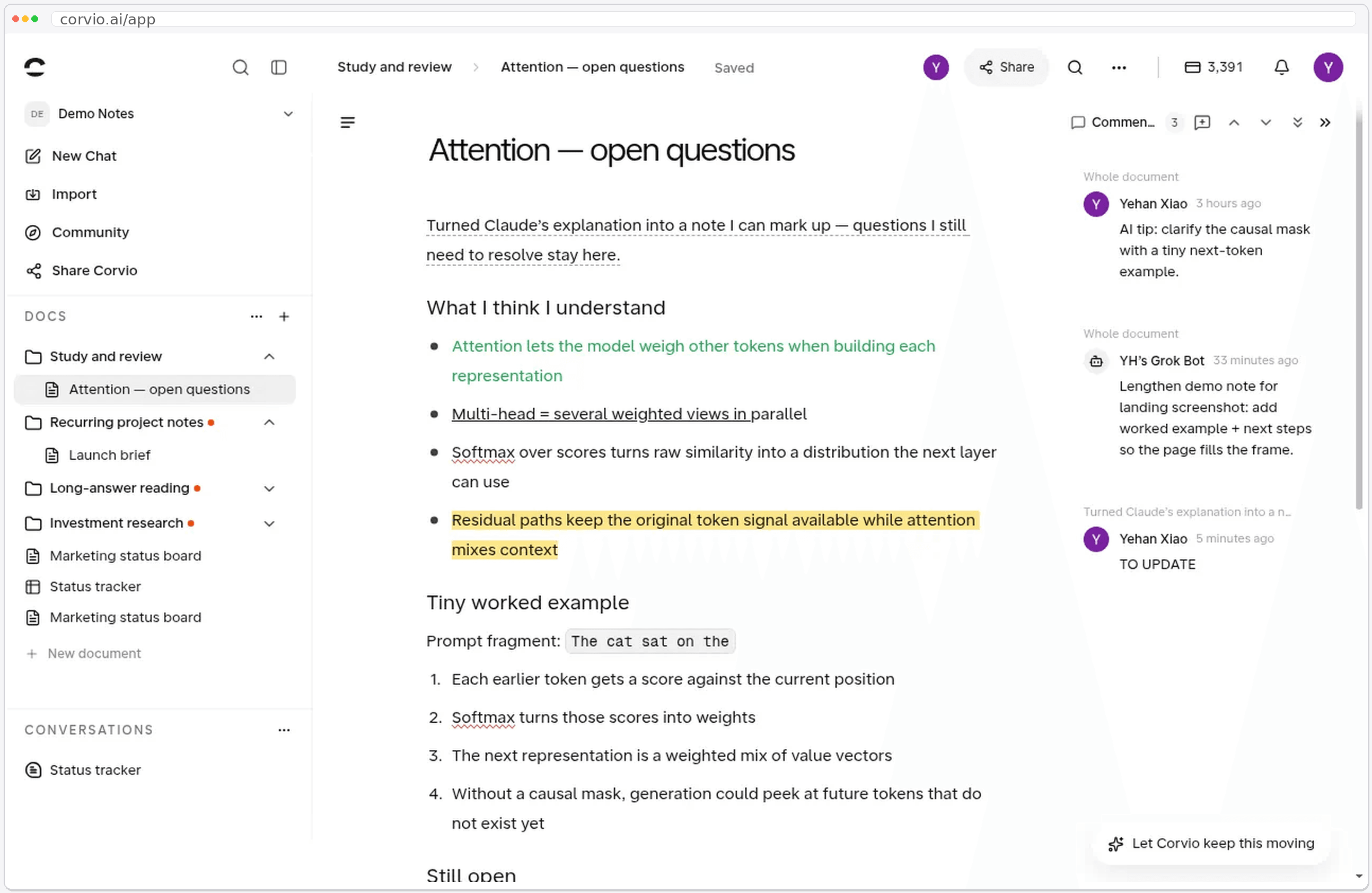
Highlight & commentsBuilt-in highlight and comments in a clean, clear interface. Ready from the first note.Core has limited markup; richer highlight/comment usually needs community plugins
Best atSkip the vault and plugin setup week. Work with AI (Claude, Codex, ChatGPT, or inside Corvio) to solve problems, land results in editable notes, grow a personal wiki, and open the same notes in a browser anywhereLocal-first vaults, offline, deep plugins, and DIY power-user setups

Corvio vs Obsidian day to day

First useful hour, tables, images, browser access, and AI into notes, side by side with real product screens.

1. First useful hour: highlight and comment right away

Corvio

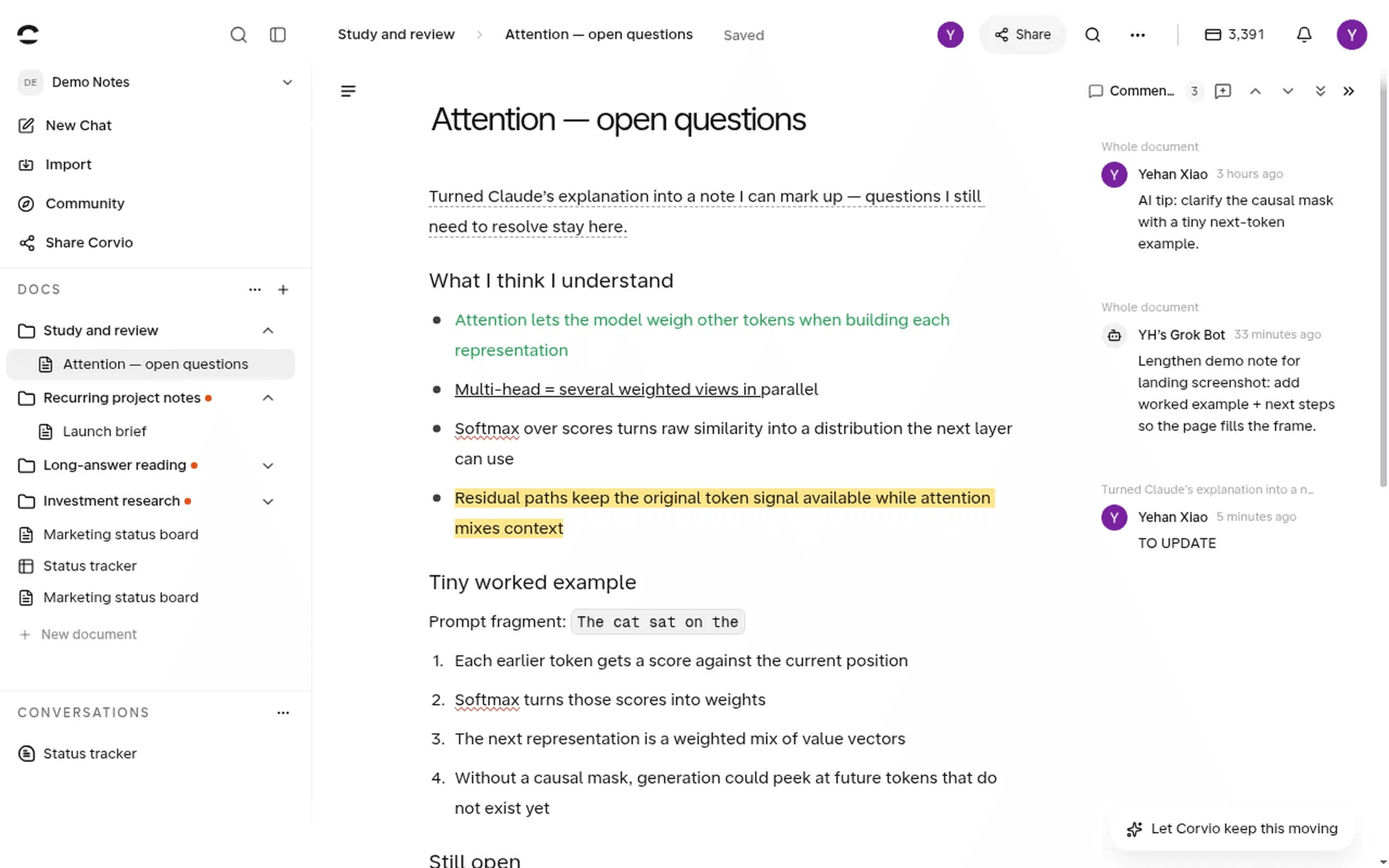
Open a note, highlight and comment in a clean, clear, full-featured interface.

Obsidian

Writing starts fast. Richer tools mean picking from 8,000+ community plugins, judging quality, then installing and learning each one. Expect hours to days.

Corvio
Corvio note with highlight and comments
Obsidian
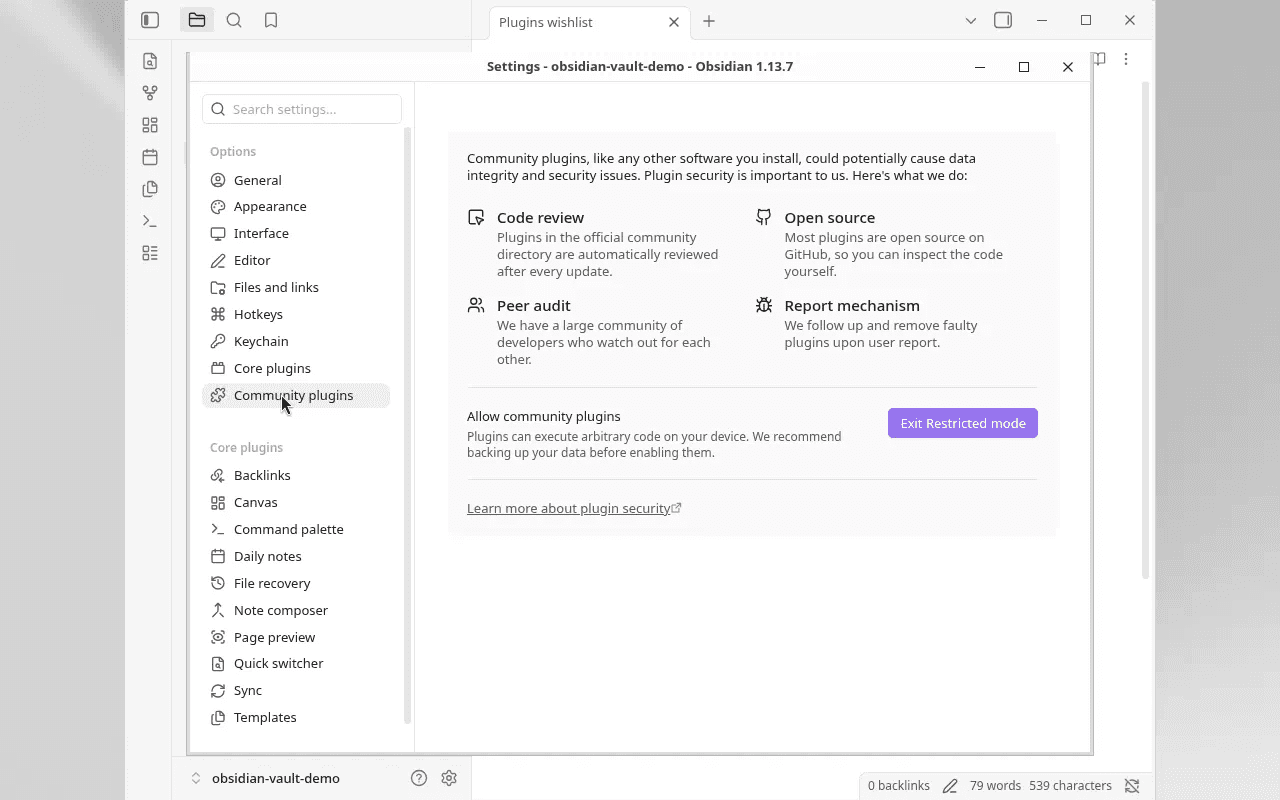
Obsidian Community plugins and Restricted Mode

2. Tables: category dropdowns, plus Excel files you can edit

Corvio

In-doc tables with category dropdowns, plus viewing and editing Excel files.

Obsidian

In-doc tables are Markdown grids only.

Corvio
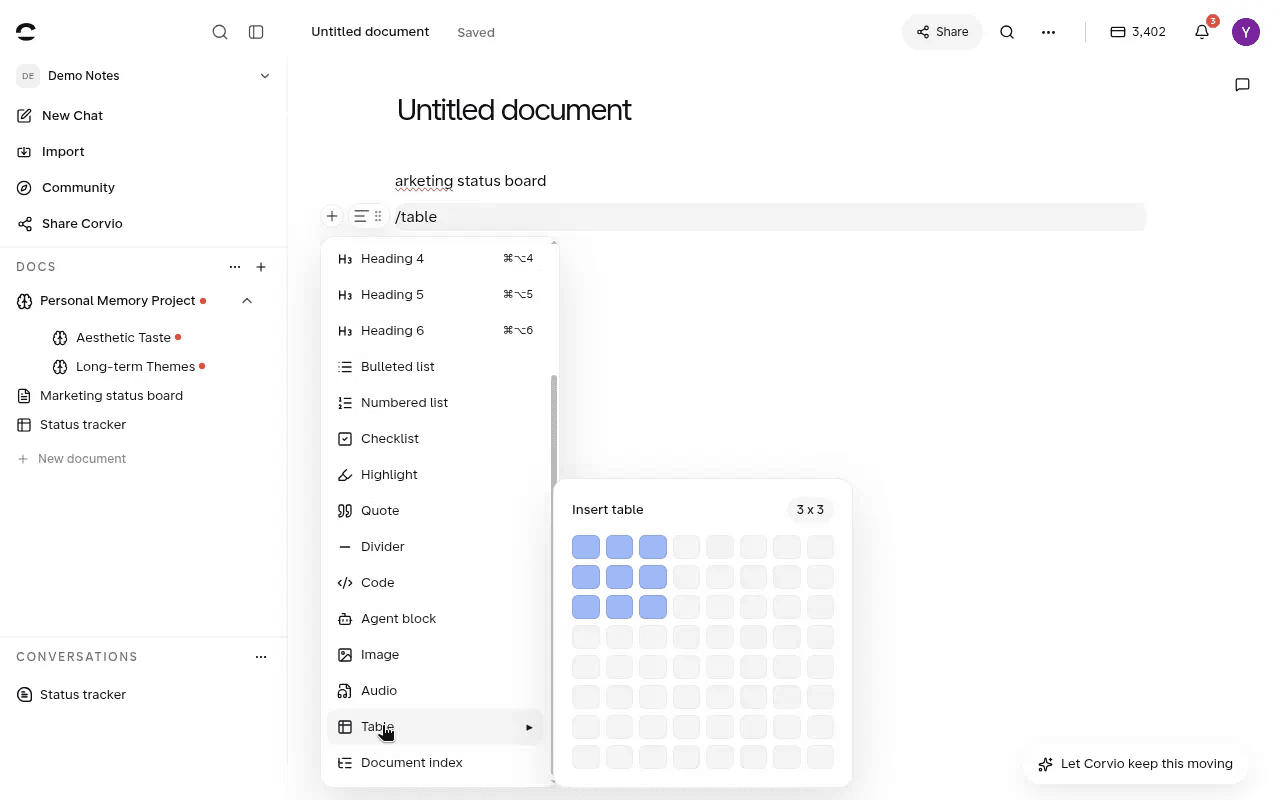
In a Corvio note, click + on any blank line and pick Table from the menu to insert one
Corvio
Corvio Status tracker spreadsheet with Task, Owner, and Status

3. Images: resize in the browser note

Corvio

Paste or insert, then resize in the browser note.

Obsidian

Desktop Live Preview (1.12+): drag a corner, or set Markdown width. Mobile is limited.

Corvio
Corvio English note with a highlighted campaign image

4. Access anywhere: same notes in any browser

Corvio

Same notes in a browser on any device. Cloud sync included free; no Sync fee.

Obsidian

Local vault. Multi-device needs Sync ($4–$10/user/mo) or DIY folders.

Corvio
Corvio note open in a browser on any device
Obsidian
Obsidian Sync sign-in settings

5. AI work into notes: save results without copy-paste

Corvio

Connect Claude, Codex, or ChatGPT via MCP / CLI, or use GPT / Claude inside Corvio. Answers land in notes you can edit, highlight, and comment on.

Obsidian

Point Claude / Codex / Cursor at the vault folder, or install Claudian, Copilot, Smart Composer. Setup comes first.

Corvio
AI chat beside a Corvio note

When to choose each

Choose Corvio when…

  • You want the first useful hour without sorting through 8,000+ community plugins
  • You need in-doc tables with category dropdowns, Excel file viewing and editing, image resize in the browser, and built-in highlight and comments
  • You want the same notes in any browser, with cloud sync included free (no Sync fee)
  • You connect Claude, Codex, or ChatGPT (or use AI inside Corvio) and save results into editable notes with version history
  • You care more about solving with AI and growing a personal wiki than configuring a vault

Stay on Obsidian when…

  • Local-first files and offline use are non-negotiable
  • You like deep plugins and DIY setups (Claudian, Copilot, and the rest)
  • You’re fine with paid Sync or DIY sync across devices
  • Markdown grids and plugin tooling are enough for tables and markup
  • You point agents at the vault folder yourself and prefer that workflow

FAQ: Corvio vs Obsidian

Is Corvio an Obsidian alternative?

Yes. If you are not the kind of user who enjoys deep customization, hunting plugins, and wiring vault settings, Corvio is a strong Obsidian alternative: the first useful hour is already there. Open a note, highlight and comment, use dropdown tables and Excel files, work with AI, and grow a personal wiki without a setup week. It is not a local Markdown twin for power users who love DIY.

How does Corvio work with Claude, Codex, and ChatGPT?

Connect the AI you already use over MCP / CLI and save key points into Corvio when you ask, or stay inside Corvio with GPT and Claude. Either way, results land in notes you keep editing on the same page. Obsidian can do AI too, but usually after pointing agents at a vault folder or installing plugins first.

Does Corvio charge for sync like Obsidian Sync?

On Corvio, free already includes cloud sync: same notes on laptop, phone, or any browser. You do not pick a Sync plan or DIY folders. Obsidian’s official Sync is paid (about $4–$10/user/mo), or you sync folders yourself with more conflict risk.

What do I get on day one in Corvio that usually needs plugins in Obsidian?

Highlight and comments, in-doc tables with category dropdowns, Excel file viewing and editing, image resize in the browser note, and edit history with rollback. All ready when you open a note.

When should I choose Corvio over staying on Obsidian?

Choose Corvio when you would rather skip vault configuration, solve problems with AI, land results in editable notes, and open them on every device. Stay on Obsidian when local-first files, offline use, deep plugins, and DIY workflows are the point.

Skip the setup week. Put AI work into notes you keep.

Open a Workspace, connect the AI you already use, and keep the answer in an editable note.

Start Corvio Free